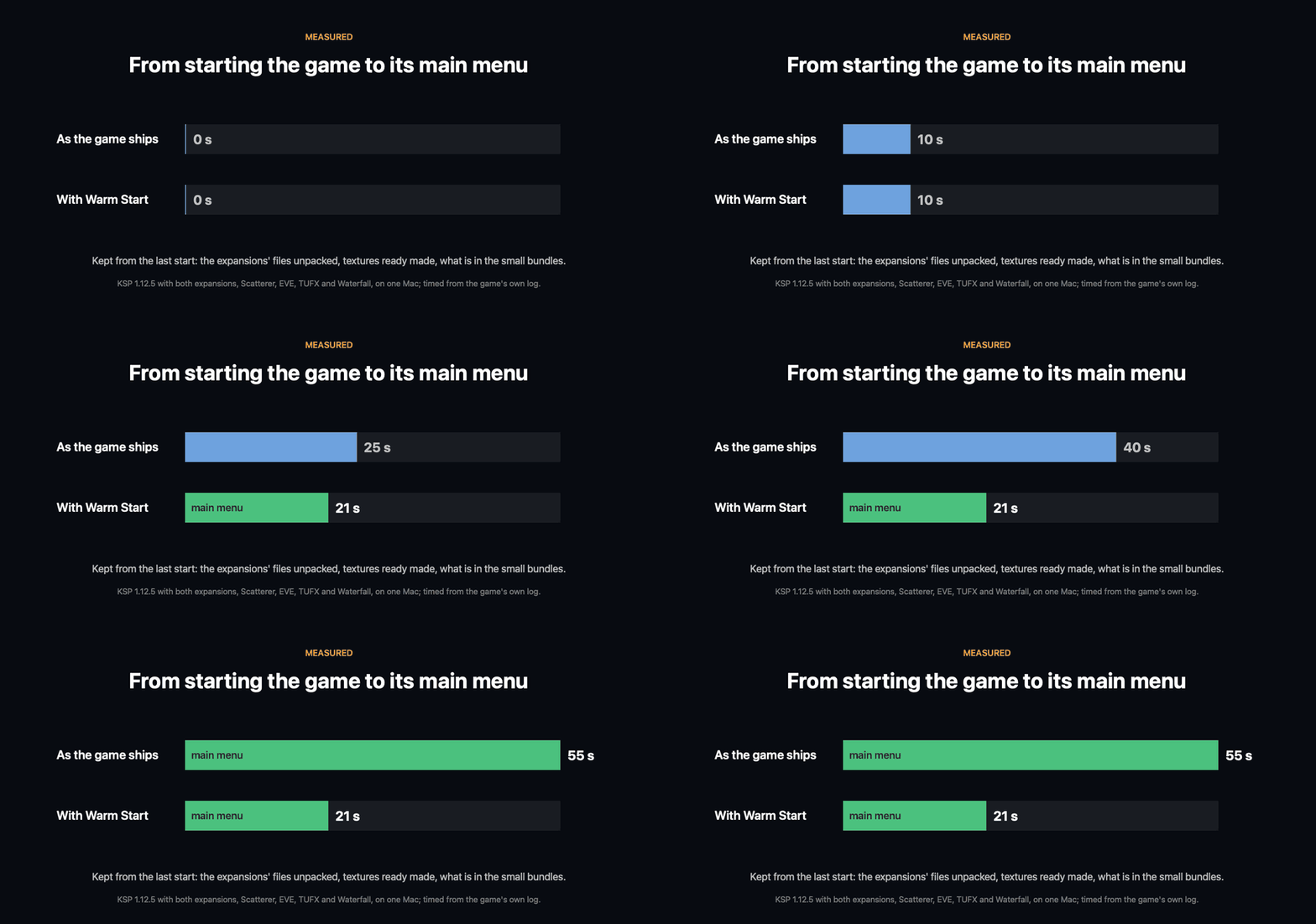
Kerbal Space Program starts in less than half the time, because what it works out afresh at every start
is kept from the last one.
For Kerbal Space Program 1.12.x. Needs Keystone, which comes in the download.
Three things take most of a start, and each comes out the same every time:
- The expansions' files. Making History and Breaking Ground keep their models and scenes in three
files that the game unpacks whole, into memory, at every start. A copy of each is kept that needs no
unpacking.
- Textures. Every PNG picture is unpacked and squeezed into the graphics card's own format, every
time. What the game makes of each is kept, and handed back. The DDS pictures, which are finished
already, are read by several threads at once.
- The small bundles. The game opens each of a couple of hundred small bundles (its manual's pages,
mostly) to read a short description out of it. The descriptions are kept.
None of the game's code is changed, and what the game ends up with is what it makes by itself: that was
checked texture by texture and description by description.
Install
Copy the Keystone and WarmStart folders from the download into your KSP GameData.
The first start after that is as slow as ever, and at its main menu a minute of work goes on in the
background (a line at the foot of the screen says so). From the second start on it is fast.
What it costs
About a gigabyte of disk, in GameData/WarmStart/PluginData: three quarters of it the expansions' copies,
the rest the textures. Deleting that folder loses nothing but the time to make it again.
It costs no memory. With it the game used 1.2 GB less here (7.0 GB against 8.2), because the
expansions' files are no longer unpacked into memory whole.
Settings
In the Keystone window (the keystone button on the game's toolbar, or Option-K on a Mac, Alt-K elsewhere).
Each part can be switched off by itself; what is kept stays on the disk.
- Warm start (on): off, the game starts as it always has.
- Textures, ready made (on): PNG pictures kept as the game made them, DDS pictures read ahead.
- What is in the small bundles, kept (on): the descriptions the game reads out of its small bundles.
- The expansions' files, unpacked (on): the copies that need no unpacking (most of the disk).
- Do not wait on the loading screen (on): the loader does not slow down while one loading picture fades into the next.
- Load at any frame rate (on): the game's frame-rate limit is lifted until the main menu is there.
The page also says how long this start took, and the last one without anything kept.
Good to know
- When a file changes (a mod updated, added or taken out), only what was kept of that file is made
again, in the start that follows.
- It does not make everything faster. The game's own start before any mod runs, its parts, and its
planets and space centre take 17 of the 21 seconds that are left on the Mac, and are left alone.
- With KSP Community Fixes installed, which loads the game its own, faster way, Warm Start does
nothing: use one or the other.
Where it works
- Mac: made and measured here (Apple silicon, the game under Rosetta, OpenGL): 55 s to the main menu as the game ships, 21 s with it.
- Windows: tried on Windows 11 (KSP 1.12.5, Direct3D 11), the game on an SSD: 47 s to the main menu with it switched off, 17 to 18.5 s with it.
- Linux: never run. It is plain C# with nothing of one system's in it.
More: how it works, what was measured and what was tried.
Source, and more
github.com/IshiakiZ/ksp-warm-start: the source, the wiki with the long description, and where to report a fault. Licence: MIT.