Keystone

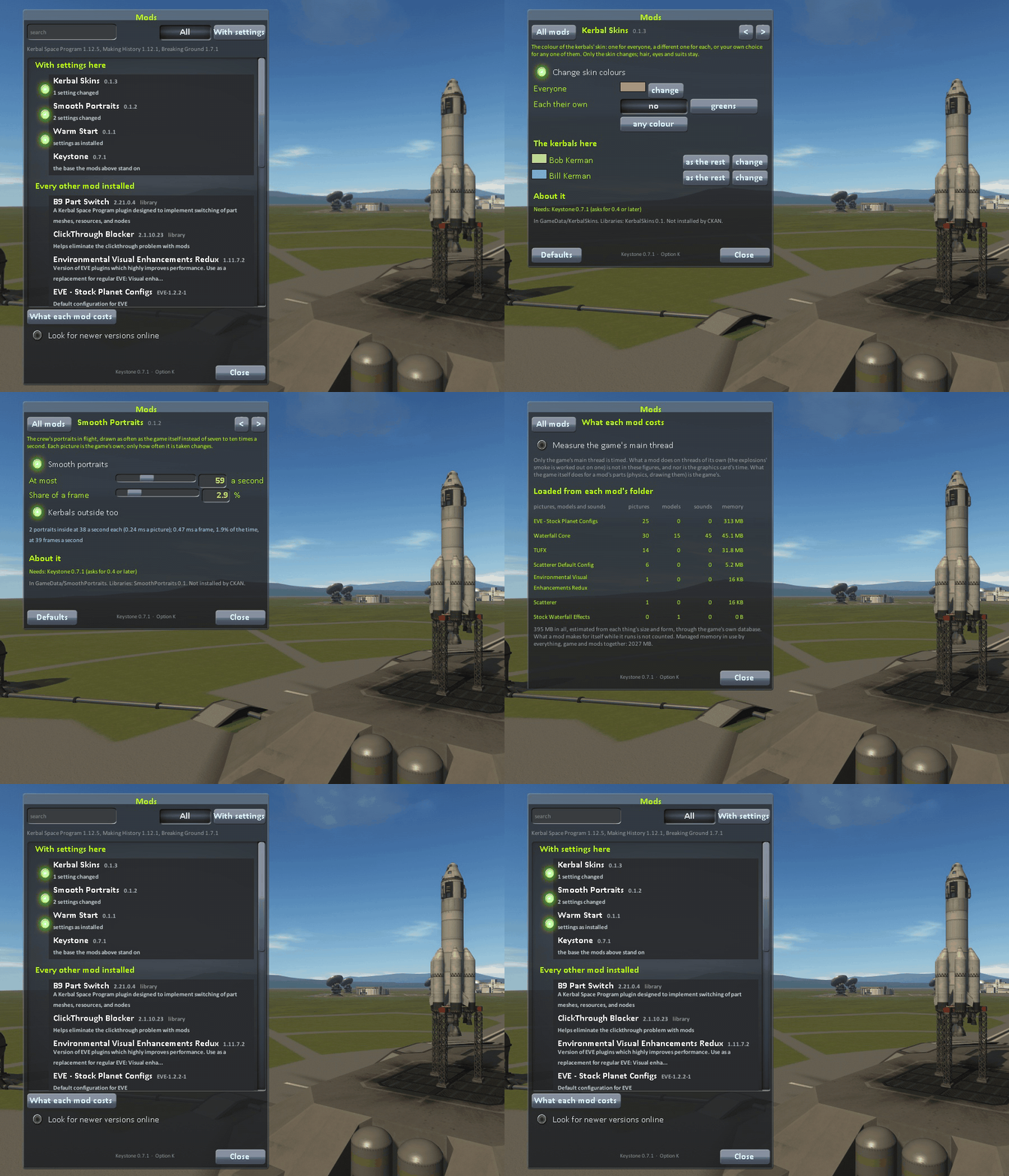
The base that a family of small mods stands on (Kerbal Skins, Smooth Portraits, Warm Start and others): one window that lists every mod installed, settings that are kept, keys, what each mod costs, and a lens of its own.

License: MIT

Game Version: 1.12.5

Source code: IshiakiZ/ksp-keystone

Downloads: 8

Author: Ishiaki

Followers: 2

The base that a family of small Kerbal Space Program 1 mods stands on: Smooth Portraits, Kerbal Skins, Cinema Camera, Natural Light and others. It gives the game one window for mods: every mod installed is listed there, Keystone's own with their switches and settings, every other with what can be known of it. It also has keys a player can change, a lens and a film that any of its mods can use, what the game's rocket engines burn, and a page of what each mod costs the game.

For Kerbal Space Program 1.12.x.

For players

  • Install: copy the Keystone folder into GameData, next to the mod that needs it. One copy serves every mod that uses it.
  • The window opens from the keystone button on the game's toolbar, or with Option-K on a Mac and Alt-K elsewhere (the key can be changed on Keystone's page), in every scene. It opens on the list of mods: Keystone's mods with a switch each, then every other mod in GameData, with its version, what it is, and marks for a missing dependency, a library that did not load, or a game version it was not made for. Search it, or show only the mods with settings. Click a mod for its page: settings, who made it, its addresses, what it needs and what needs it.
  • What each mod costs: a page that times every mod's work on the game's main thread while you have it switched on (it needs the Harmony mod), and shows what each loaded from its folder.
  • Newer versions can be looked for online, off until you switch it on: a few plain requests a day, to each mod's own address for its version file and to GitHub. Nothing is downloaded or installed.
  • Settings are kept in GameData/Keystone/PluginData/<mod>.cfg. Deleting a file there puts that mod back as installed.

More for players.

For a mod

Reference Keystone.dll, say that you need it, and register:

[assembly: KSPAssemblyDependency("Keystone", 0, 6)]

Mod mod = Kit.Register("Smooth Portraits", "0.1.0", "A line about what the mod does.");
Toggle on = mod.Toggle("on", "Smooth portraits", true, "What the pointer shows when held over it.");
Slider most = mod.Slider("most", "At most", 60f, 10f, 144f, " a second", 0);
Hotkey snap = mod.Hotkey("snap", "Take a picture", KeyCode.P);
mod.Status = () => report;      // the line under its name in the list

A setting takes what was saved for it the moment it is made, and is read ever after as its Value. The switch beside a mod in the list is its own Toggle "on". Everything a mod can use.

The lens and the film

Keystone.Lens does to a camera's picture what a lens, a shutter and a film do (depth of field, motion blur, grain), from one shader of its own; Cinema Camera uses it. Keystone.Film does what a film's developing does (exposure, a film curve, glow) through TUFX where it is installed; Natural Light uses it. The lens, the film.

Engines

Keystone.Engines is what the mods that draw an engine's exhaust agree on: what each rocket engine burns (the game has one rocket fuel; which real one each of its engines is taken as burning is set down here, and a config can say otherwise), where the mouth of each nozzle really is and how wide, measured from the engine's own model, and how hard it is burning. More.

Where it works

  • Mac: made and tried here (KSP 1.12.5, OpenGL).
  • Windows: tried on Windows 11 (KSP 1.12.5, on Direct3D 11 and on OpenGL): the window, the list of mods and their pages, settings kept across a restart, and the lens, by its shader compiled for Direct3D.
  • Linux: never run. The lens there is the OpenGL shader the Mac runs.

More.

Source, and more

github.com/IshiakiZ/ksp-keystone: the source, the wiki with the long description, and where to report a fault. Licence: MIT.

Loading changelog...

Stats for Keystone

Downloads over time

Downloads per version

New followers per day

Top Referrers

  1. spacedock.info

Export Raw Stats

Export Downloads

Export Followers

Export Referrals

Raw stats are from the beginning of time until now. Each follower and download entry represents one hour of data. Uneventful hours are omitted.