License: CC BY-NC-SA 4.0
ML/AI:
Game Version: 1.12.5
Source code: siyang03/MechJeb-Waypoint-Navigator
MechJeb Waypoint Navigator
Draw a flight route on a Kerbin map. Let your aircraft fly it automatically.
- Flight Plan Editor — An interactive, offline map for creating routes and previewing turns.
- Waypoint Navigator — Follows your route using MechJeb Aircraft Autopilot.
- Multi-aircraft NAV (v1.2.0) — Fly multiple aircraft along independent flight plans simultaneously, as long as they remain within KSP's active physics range.
Video Demonstration — Multi-Aircraft NAV (v1.2.0)
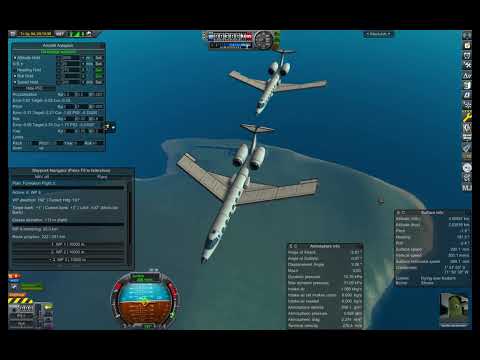
Watch the demonstration on YouTube (6:27)
Two aircraft independently following waypoint routes, with close formation flying achieved through manual speed adjustments.
Inspired by RCTestFlight's waypoint missions. Uses Kramax directional guidance and the Kerbin map from Micro Map by KerbalMissile (MIT license).
Download & Install
1. Download
Download MechJeb-Waypoint-Navigator (ZIP)
2. Install
Requires KSP 1, MechJeb2, and Harmony 2 (available on CKAN).
Extract the ZIP and copy MechJebWaypointNavigator into your KSP GameData folder. On updates, preserve your existing CFG flight plans.
3. Launch Flight Plan Editor
Open GameData/MechJebWaypointNavigator/Launch the Editor.html in Chrome or Edge. No installation or internet connection required.
Quick Start — Plan & Fly
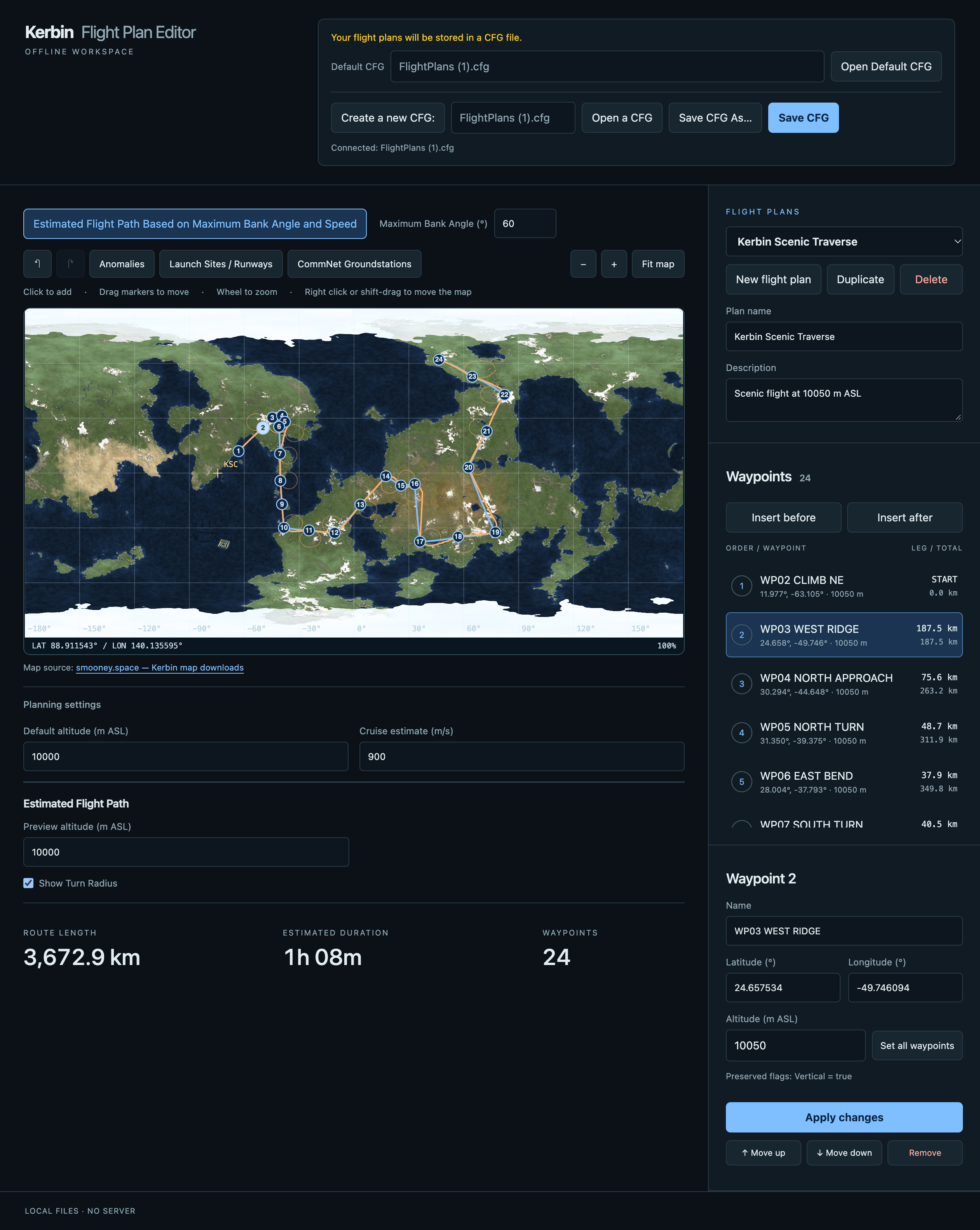
1. Draw your route
Open Flight Plan Editor, click the Kerbin map to add waypoints, and drag them to adjust your route.
Save your flight plan as a .cfg file directly in GameData/MechJebWaypointNavigator/ (not inside a subfolder).
⚠️ Browser compatibility: Only Chrome and Edge are supported. Firefox and Safari are not supported.
2. Set up MechJeb
In flight, enable MechJeb Aircraft Autopilot.
Configure your desired altitude, speed, BankAngle, and RollLimit. Click Set to apply changes to BankAngle (a green Set button means the new value hasn't been applied).
Higher bank limits allow tighter turns and reduce waypoint overshoot. The Navigator's effective bank limit is min(BankAngle, RollLimit).
3. Engage navigation
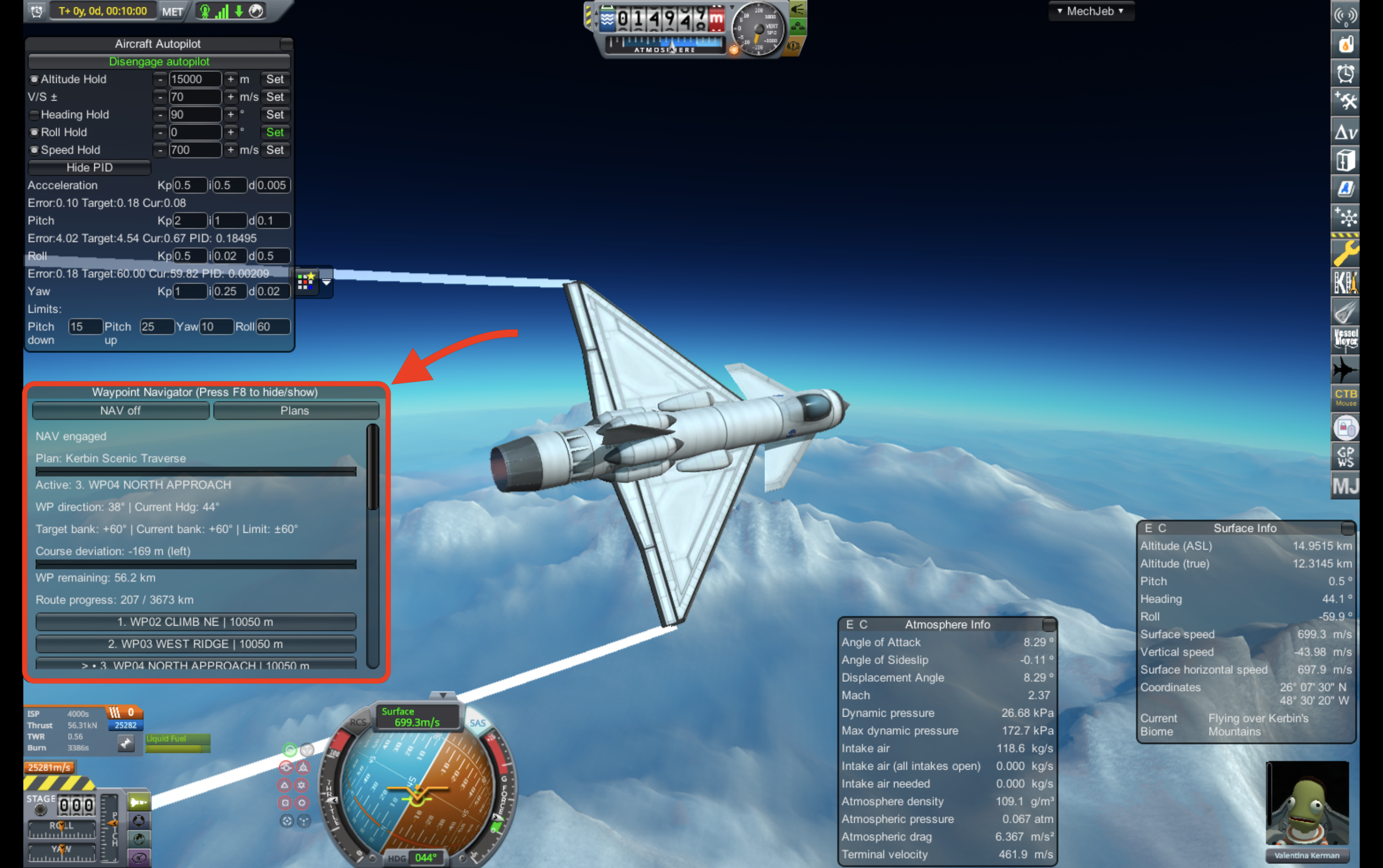
Open Waypoint Navigator → Plans, refresh the CFG files, and select your flight plan.
Press NAV on. Your aircraft will follow the waypoints automatically!
Good to Know
- Altitude and speed: NAV controls horizontal navigation only. Waypoint altitudes are informational; set Altitude Hold and Speed Hold separately in MechJeb.
- Bank limits: NAV displays the live effective limit and its source:
(MechJeb Roll),(MechJeb Bank), or(MechJeb)when both limits are equal. Actual aircraft bank may exceed the commanded value. - Yaw control: NAV normally uses MechJeb's yaw stabilization. If incompatible, it falls back to passive aerodynamic yaw stability, which may be less reliable on some aircraft.
- SAS: NAV automatically turns SAS off when engaged and back on when disengaged. Manually enabling SAS or MechJeb Heading Hold disengages NAV.
- Waypoints: Select another waypoint during NAV to redirect the aircraft without interrupting navigation.
- Turn predictions: The editor estimates turn paths using the selected speed and bank angle. These are estimates, not guarantees; high-speed sharp turns may overshoot.
- F8 hides or shows the Navigator window.
Multi-Aircraft Navigation & Formation Flight (v1.2.0)
Fly multiple aircraft simultaneously, each following its own flight plan!
Quick Start
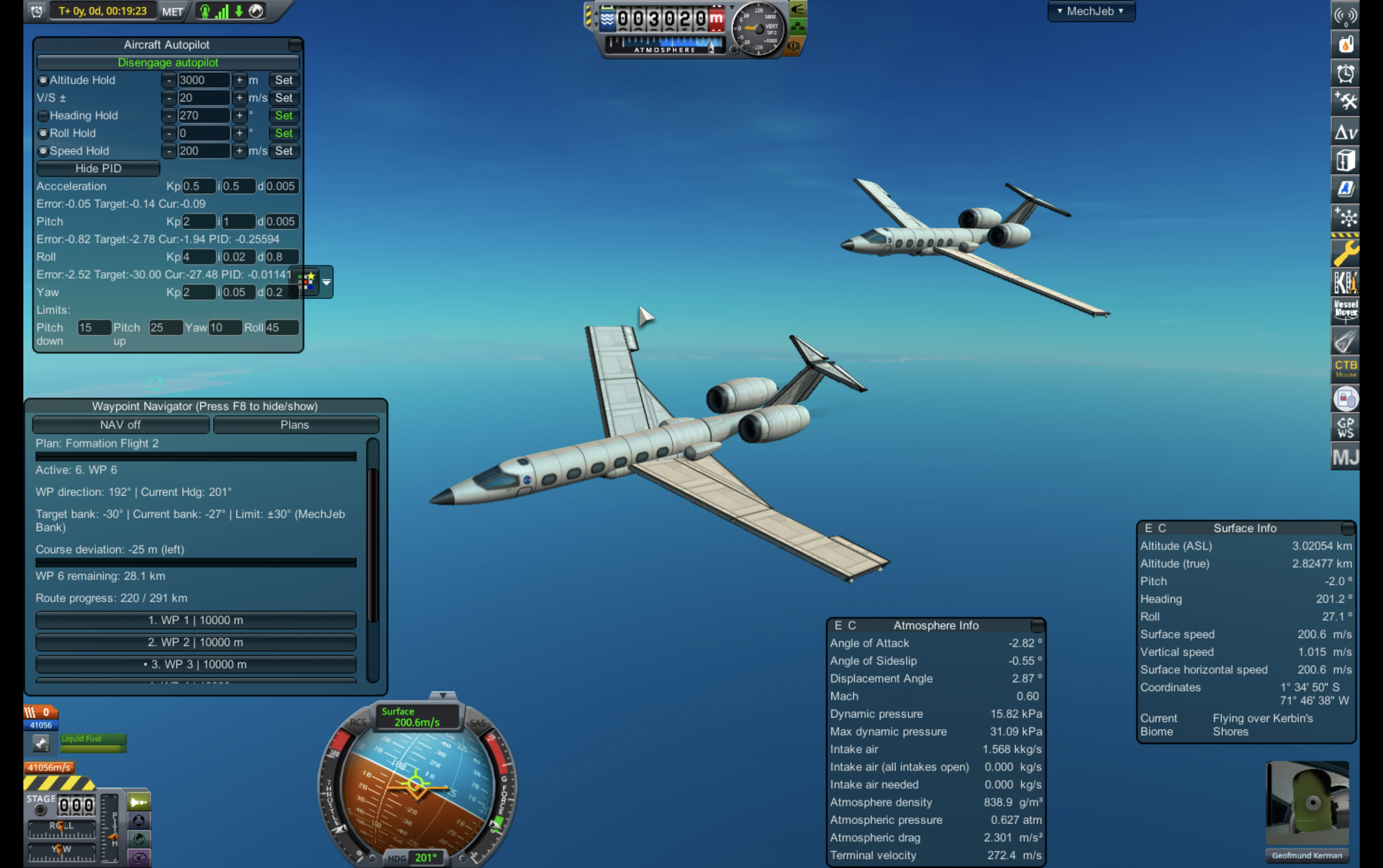
- Aircraft A: Enable MechJeb Aircraft Autopilot, load a flight plan, and engage NAV.
- Aircraft B: Switch to B (keeping A within physics range), configure MechJeb, and engage NAV with its own flight plan.
- That's it! Both aircraft navigate independently. Switch between them to monitor or adjust their routes.
Each aircraft remembers its own flight plan, waypoint progress, and NAV state. The Navigator window controls only the currently selected aircraft.
Formation Flying Tips
For close formation flight, using the same route works better than separate parallel routes.
- Load the same flight plan on both aircraft for a closer formation.
- Increase the trailing aircraft's target speed to close the gap.
- Once the formation is stable, it should remain close as long as both aircraft maintain the same speed and bank angle limit.
Important Limitations
- Physics range: Both aircraft must remain loaded and unpacked. Physics Range Extender (PRE) may help extend the range.
- No automatic formation keeping: NAV does not synchronize speeds, maintain spacing, or prevent collisions.
- NAV disengagement: NAV automatically disengages when an aircraft leaves physics range. Reengage manually when it returns.
- Independent autopilots: Each aircraft needs its own MechJeb Aircraft Autopilot configured pre flight.
Tested: Simultaneous two-aircraft navigation and close formation flying, including manual speed adjustments. Larger formations have not yet been flight-tested.
Watch the multi-aircraft demonstration (6:27) | Full flight timelapse (11:20)
Development & Credits
Source/ contains development code, tests, and documentation; it is not needed for installation. Building the Navigator requires .NET 8, Python 3, and a local KSP installation.
Diagnostic records appear in KSP.log during NAV.
See LICENSE and THIRD_PARTY_NOTICES.md for licensing and acknowledgments.
MechJeb Waypoint Navigator is an independent add-on for MechJeb2 and is not affiliated with or endorsed by the MechJeb development team.
Appendix: Full Flight Recording
Watch the full flight timelapse on YouTube (11:20, 3× speed)
An accelerated recording of the original 34-minute formation test flight, preserved for reference. The shorter demonstration highlights the key moments.
AI Acknowledgment: This project was developed with the assistance of ChatGPT by OpenAI, including software design, implementation, debugging, testing, and documentation.
Stats for MechJeb Waypoint Navigator
Downloads over time
Downloads per version
New followers per day
Top Referrers
- spacedock.info
- sd-prod-stage.52k.de
- sd1a.52k.de
- forum.kerbalspaceprogram.com
- sd1b.52k.de
- yandex.ru
- sd-prod-live.52k.de
- www.google.com
Export Raw Stats
Raw stats are from the beginning of time until now. Each follower and download entry represents one hour of data. Uneventful hours are omitted.