kerbcast
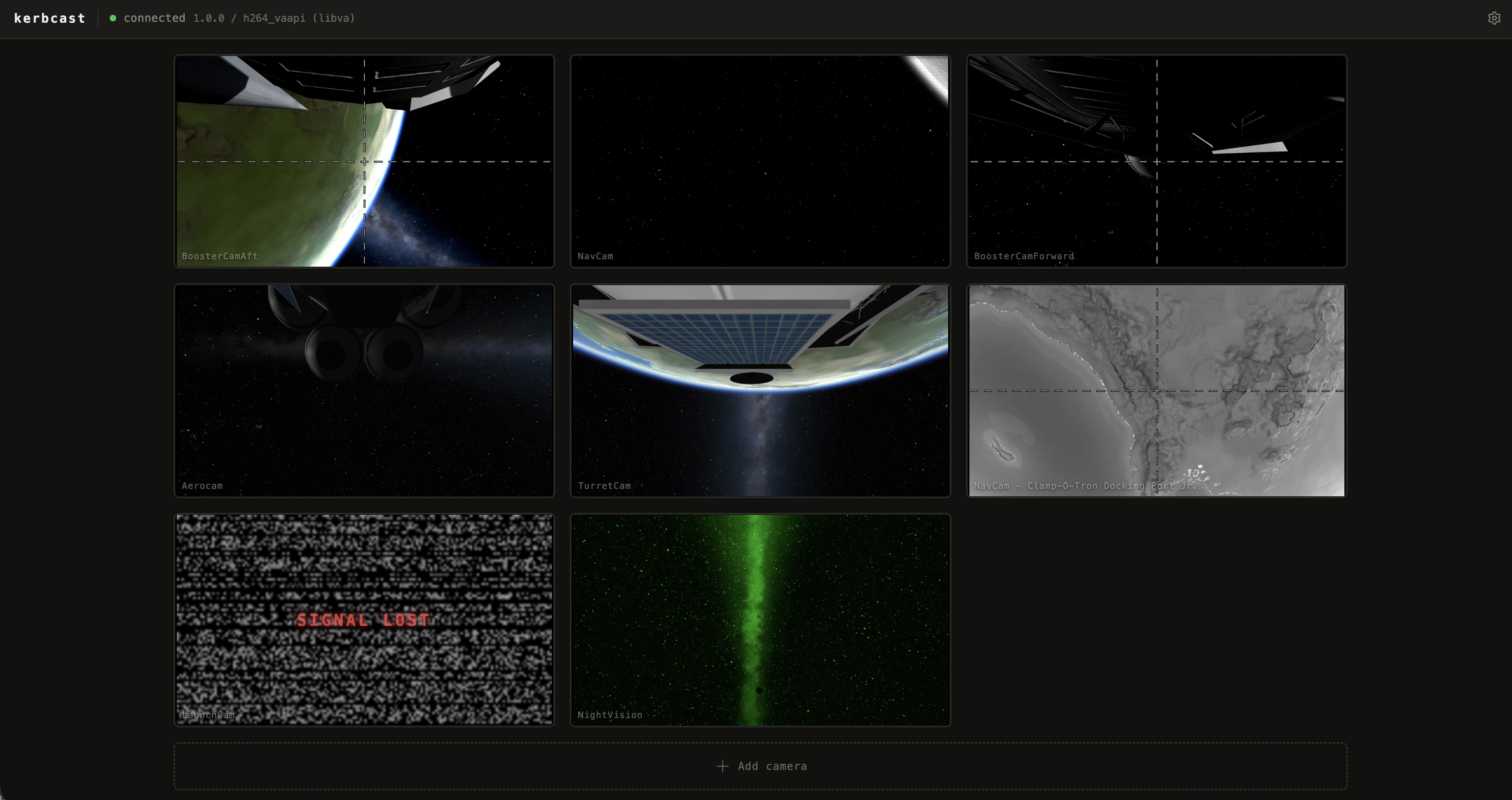
A from-scratch, high-performance oriented successor to OCISLY for streaming camera feeds to a browser. Hardware-accelerated H.264 over WebRTC, with full Hullcam VDS camera-type fidelity. Designed with Linux in mind, Windows and MacOS support is a little experimental.
What it does
- Streams HullcamVDS camera sources to a browser via the bundled kerbcast web UI or through @jonpepler/kerbcast, a TypeScript SDK
- Supports performance tweak options to keep fps reasonable through degrading resolution, framerate, and shedding render layers. By default, performance should feel vastly improved over the original OCISLY mod
- Introduces optional shaders for wind and re-entry FX
- Supports popular visual mods so their effects show on the camera feeds: Scatterer, EVE, TUFX, Deferred, Firefly, and Parallax
- HullcamVDS implementation enhancements:
- Honours each camera's
cameraModeso B&W / CRT / night-vision variants look like they do in the in-game Hullcam GUI - Introduces planned but never fully implemented panning options for turret cam and launch cam
- Supports a data channel for sending control data from clients (eg pan/zoom)
- Fixes and patches long term issues on Linux
How it does it
- Captures KSP Hullcam VDS camera feeds inside the game via
AsyncGPUReadback, with zero stall on the game's main thread - Encodes them in an out-of-process 'sidecar': software H.264 (OpenH264) as the fallback, with hardware H.264 on Linux / Steam Deck (libva), and NVENC (Windows). VideoToolbox (macOS) is stubbed pending implementation
- Streams them out as WebRTC media tracks, with adaptive bitrate, congestion control, and packet loss recovery for free
- Renders cameras only when a peer is subscribed, so no idle CPU work and no in-game UI required
Status: Initial Release - expect bugs
Kerbcast is just becoming ready for general consumption. It supports Linux, with limited testing on Windows and MacOS.
Issues and PRs are welcome, particularly if you'd like to 'adopt' macOS or Windows support.
Installing kerbcast
Each GitHub Release also carries these steps in its notes, which outrank these steps.
Requirements
- Kerbal Space Program 1.12.x
- Hullcam VDS Continued (required - kerbcast streams Hullcam camera parts)
- Harmony 2 (required - kerbcast uses Harmony to patch into KSP at runtime)
- A WebRTC-capable browser on the viewing device (any current Firefox, Chrome, Safari, or Edge)
Steps
- Use CKAN and skip to step 4, or: Download
kerbcast-vX.Y.Z.zipfrom the releases page or from SpaceDock. - Extract it into your KSP install so that
GameData/Kerbcast/exists (the zip already contains theGameData/folder - extract at the KSP root). - Install Hullcam VDS Continued if you haven't already.
- Start KSP and launch a flight with one or more Hullcam camera parts on the vessel.
- On the same machine, open
http://127.0.0.1:8088in a browser. The bundled web page lists the vessel's cameras and starts streams when you click them.
Windows: the first time the sidecar launches, Windows may warn about running it. It's safe to approve; you'll only see this on first run.
To watch from another device, create GameData/Kerbcast/PluginData/settings.cfg containing:
Settings
{
  BindAddress = 0.0.0.0   // or your LAN IP
}
then browse to http://<ksp-machine-ip>:8088 from the other device.
There is no authentication. Anyone who can reach that address can watch the camera feeds. Only bind beyond localhost on a network you trust.
Configuration
Edit GameData/Kerbcast/settings.cfg like any other KSP mod config. Every
field is commented inline: bind address/port, capture resolution, stream
bitrate, adaptive-performance ceilings, Hullcam filter and atmospheric-FX
toggles, and per-camera overrides.
Updates re-extract GameData/Kerbcast/, so direct edits to that file are lost
on the next version. To keep changes across updates, put only the keys you're
changing in GameData/Kerbcast/PluginData/settings.cfg instead.
kOS addon (optional)
KerbcastKos lets a kOS script running on a vessel enumerate that vessel's kerbcast cameras and control them from kerboscript: set field of view, pan steerable mounts, and target-track a moving point (SET cam:AIM TO { RETURN TARGET:POSITION. }.). It ships as a separate optional download (KerbcastKos-*.zip on the releases page) and needs both kerbcast and kOS installed.
Stats for Kerbcast
Downloads over time
Downloads per version
New followers per day
Top Referrers
- spacedock.info
- www.google.com
- sd1b.52k.de
- sd-prod-live.52k.de
- forum.kerbalspaceprogram.com
- www.bing.com
- sd1a.52k.de
- sd-prod-stage.52k.de
- yandex.ru
- duckduckgo.com
Export Raw Stats
Raw stats are from the beginning of time until now. Each follower and download entry represents one hour of data. Uneventful hours are omitted.